Meet Traefik Cloud Native Application Proxy


Here comes some great content about what Traefik is and how you can use it to securely expose your services running in Docker to the web.
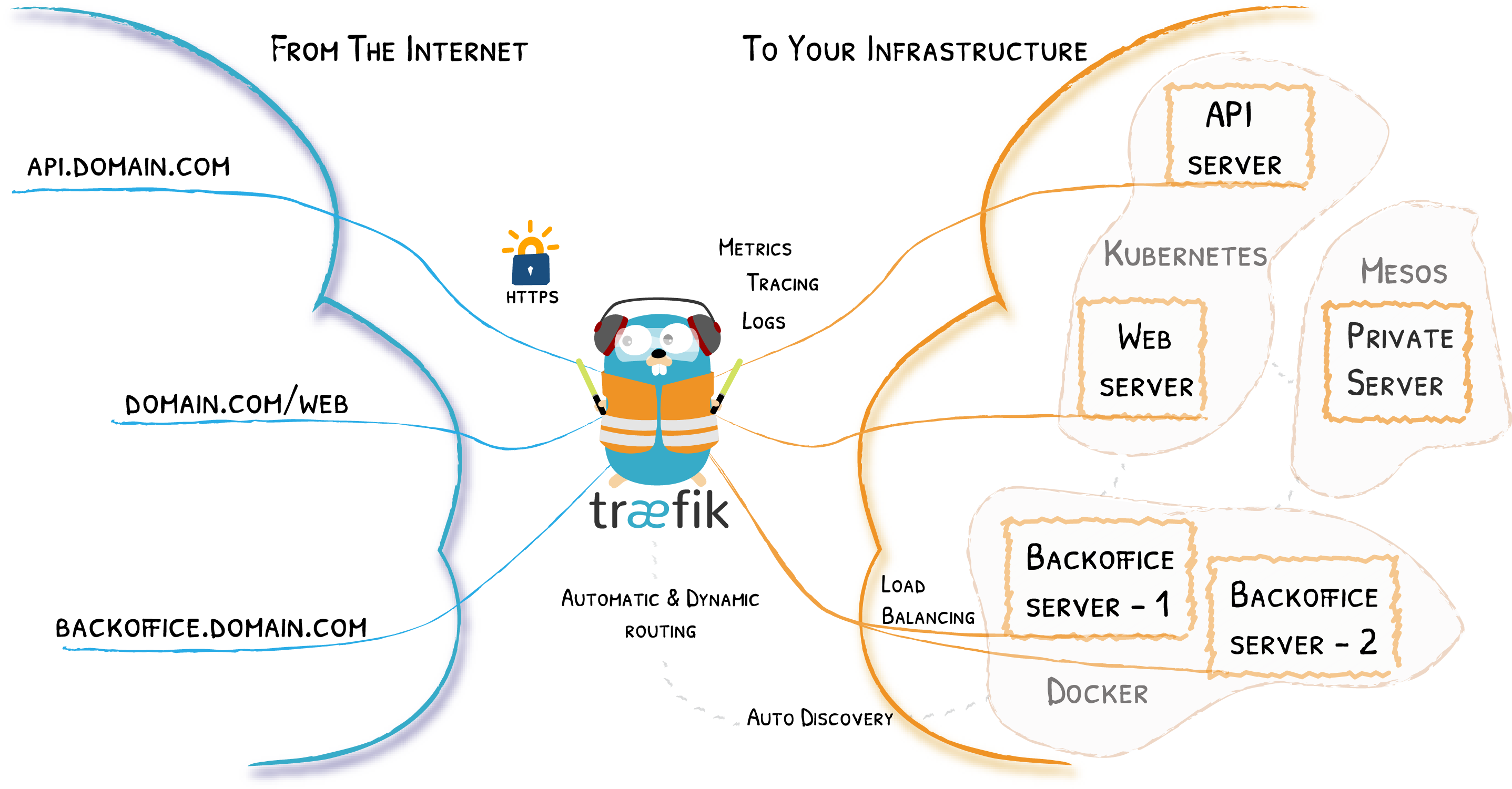
Traefik is a Cloud Native Application Proxy just like NGINX. You might already know or work with NIGNX as a standalone webserver, although it’s also used a lot as a reverse proxy. They reason I switched to Traefik is because it does the heavy lifting when it comes to load balancing, routing and generating HTTPS certificates.
So how does the Traefik architecture looks like?
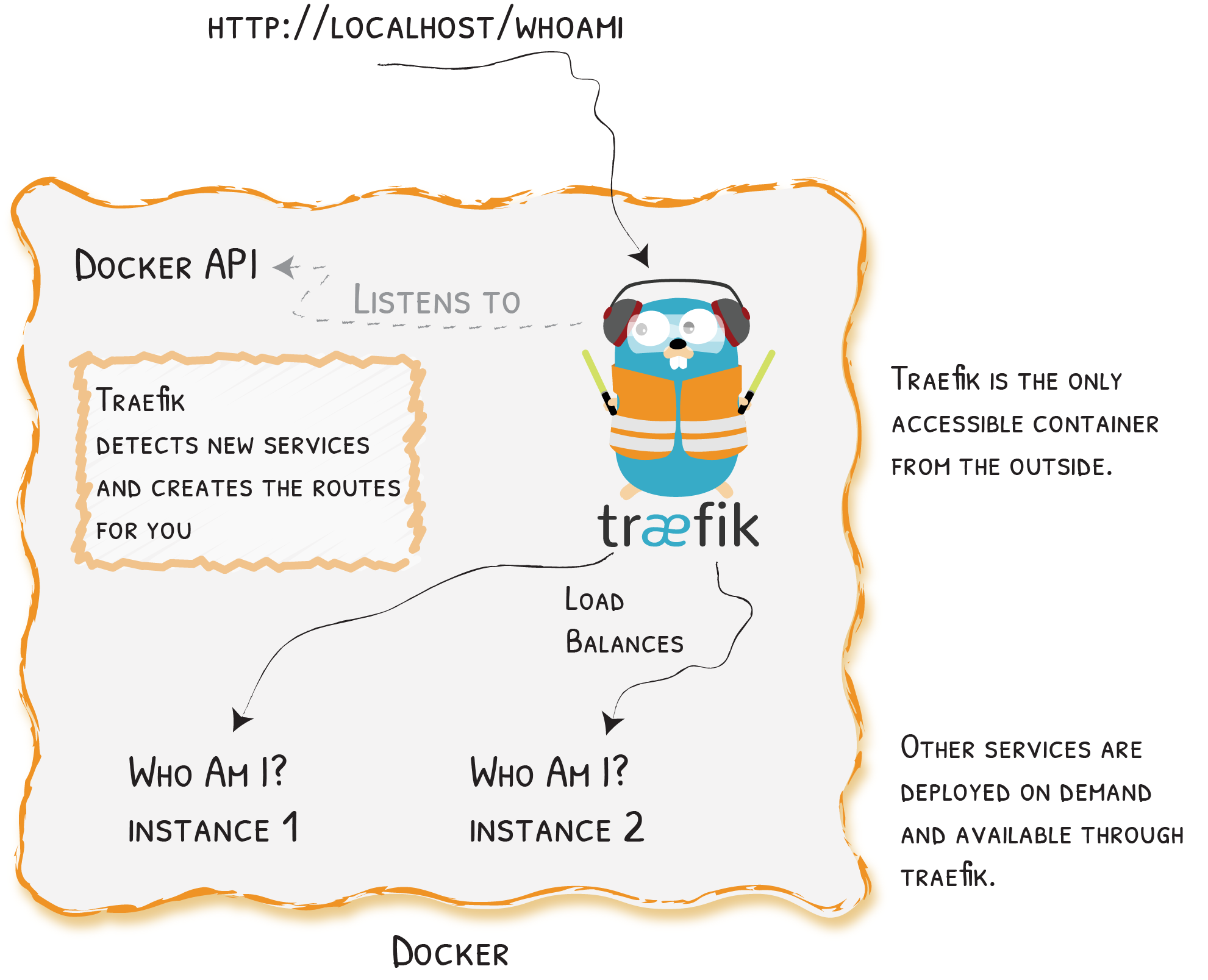
I run the Traefik proxy in a Docker container and created it with the help of Docker Compose. The way Treafik will work is that it will sit between the outside world and your Docker containers. Communication to the outside world can only be down through Traefik.
This is a working Docker Compose file to deploy and run Traefik as a reserve proxy. All the services that run within Docker and use the correct labels in the Docker Compose of the service(s) are able communicate of HTTPS with auto generated letsencrypt certificates and all the HTTP traffic is redirected to HTTPS.
Docker Compose file for running Traefik Proxy Container
version: "3.3"
services:
  traefik:
    image: "traefik:latest"
    network_mode: "host"
    container_name: "traefik"
    command:
      #- "--log.level=DEBUG"
      - "--api.insecure=true"
      - "--providers.docker=true"
      - "--providers.docker.exposedbydefault=false"
      - "--entrypoints.web.address=:80"
      - "--entrypoints.websecure.address=:443"
      - "--entrypoints.web.http.redirections.entryPoint.to=websecure"
      - "--entrypoints.web.http.redirections.entryPoint.scheme=https"
      - "--entrypoints.web.http.redirections.entrypoint.permanent=true"
      - "--certificatesresolvers.myresolver.acme.httpchallenge=true"
      - "--certificatesresolvers.myresolver.acme.httpchallenge.entrypoint=web"
      #- "--certificatesresolvers.myresolver.acme.caserver=https://acme-staging-v02.api.letsencrypt.org/directory"
      - "[email protected]"
      - "--certificatesresolvers.myresolver.acme.storage=/letsencrypt/acme.json"
    ports:
      - "80:80"
      - "443:443"
      - "8080:8080"

    volumes:
      - "./letsencrypt:/letsencrypt"
      - "/var/run/docker.sock:/var/run/docker.sock:ro"
Example of a Docker Compose file to deploy a test services behind Traefik. Don’t forget to change the hostname to the correct subdomain you want to use. Make sure that the name of the service (Example is whoami) is also correct defined within the labels “traefik.http.routers.nameoftheservice”
version: "3.3"
services:
  whoami:
    image: "traefik/whoami"
    container_name: "traefik-test-service"
    labels:
      - "traefik.enable=true"
      - "traefik.http.routers.whoami.rule=Host(`hi.jorgeliauw.nl`)"
      - "traefik.http.routers.whoami.entrypoints=websecure"
      - "traefik.http.routers.whoami.tls.certresolver=myresolver"
Want to read more about Traefik? Check out their website: https://doc.traefik.io/traefik/

Jorge Liauw Calo
Security Engineer at Google Cloud (Google Cybershield) with 13+ years of experience in Cybersecurity across highly regulated industries including Semiconductor, Banking, Fintech, and Insurance. Active member of the Google Cloud Community BeNeLux and Google Cloud Security Community Amsterdam.