Google Cloud Security Command Center Notifications in Microsoft Teams with Threat Intelligence Enrichment

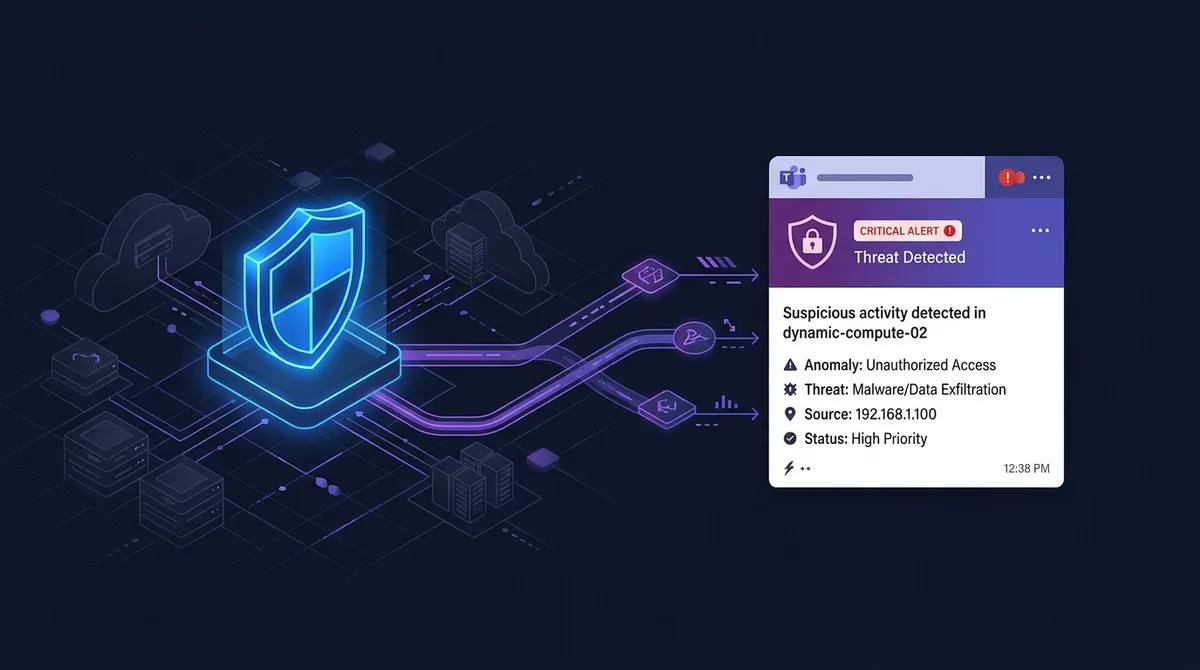
Real-time Google Cloud Security Command Center alerts enriched with Google Threat Intelligence, now for Microsoft Teams.
When working with enterprise customers on Google Cloud, we see just as many security and platform teams standardized on Microsoft Teams as we do on Slack. Having Security Command Center (SCC) enabled in your Google Cloud organization is essential, but your security engineers are much more likely to spot and act on a critical finding when it lands directly in the Teams channel they already have open all day.
Alongside my SCC notifications for Slack, I also maintain a dedicated version for Microsoft Teams on my GitHub: google-cloud-scc-findings-notifications-teams.
I just updated the Microsoft Teams repository with the exact same improvements I rolled out for the Slack version: smarter CVE filtering and prioritization, organization-wide deduplication, and IoC and vulnerability enrichment powered by Google Threat Intelligence (GTI).
What an Enriched Alert Looks Like in Microsoft Teams
Here is an example of how a threat alert with Google Threat Intelligence IoC enrichment looks inside a Microsoft Teams security channel:
A new security finding has been identified: Malware: GRIDTIDE Backdoor & SoftEtherVPN C2 (UNC2814)
What This Update Brings to Microsoft Teams
Instead of repeating the full background on why raw SCC notifications get noisy (which I covered in detail in my Slack SCC notifications post), here is a quick overview of what the updated Microsoft Teams notifier does for you:
- SCC v2 Notification API & Smarter CVE Filtering:
The Terraform setup configures an organization-level SCC v2 notification (
google_scc_v2_organization_notification_config) that forwards active, unmutedHIGHandCRITICALfindings for threats, misconfigurations, and toxic combinations, while filteringVULNERABILITYCVE findings down to those withWIDE,AVAILABLE, orCONFIRMEDexploitation activity andCRITICALorHIGHimpact. - No More CVE Alert Storms:
When a widely exploited CVE is found across dozens of projects during a scan, the Cloud Run function deduplicates repeated alerts for the same CVE across your organization within a configurable cooldown window (
cve_dedup_window_seconds). Your Teams channel gets one clear alert with a direct link to view all affected resources across the organization in SCC. - Optional Google Threat Intelligence (GTI) Enrichment:
When you configure an optional
GTI_API_KEY, the function enriches findings before posting the card to Microsoft Teams:- Vulnerability Intelligence: Adds the GTIG risk rating, priority (such as
P0), exploitation state, EPSS score, CISA KEV status, known ransomware usage, mitigations, and GTIG summary for CVEs. - Threat & IoC Enrichment: Extracts IP addresses, domains/hostnames, and SHA-256 file hashes from threat findings (such as Event Threat Detection alerts) and adds GTI / VirusTotal detection verdicts (for example
MALICIOUS 35/76), ASN/country info, and campaign attribution.
- Vulnerability Intelligence: Adds the GTIG risk rating, priority (such as
- Full-Width Microsoft Teams Adaptive Cards (v1.4): Each finding is formatted as a clean, full-width Adaptive Card (compatible with both Microsoft Teams Workflows via Power Automate and Incoming Webhooks) showing the category, project, resource, severity, state, event time, CVE or IoC telemetry, remediation steps, and a View in Cloud Console button that opens the finding directly in Google Cloud.
Test It Out or Deploy It with Terraform
Just like the Slack version, you can test the Microsoft Teams Adaptive Card notifications directly from your terminal using the included sample fixtures before deploying any infrastructure:
# Replay Demo 1: Log4Shell (CVE-2021-44228) to Microsoft Teams (with optional GTI_API_KEY)
TEAMS_WEBHOOK_URL="https://your-teams-webhook-url" \
GTI_API_KEY=your_optional_gti_key \
python3 app/scc-finding-teams-notifications/main.py tests/fixtures/vuln_v2_log4shell_cve_2021_44228.json --send

# Replay Demo 2: UNC2814 / GRIDTIDE Espionage Campaign to Microsoft Teams (with optional GTI_API_KEY)
TEAMS_WEBHOOK_URL="https://your-teams-webhook-url" \
GTI_API_KEY=your_optional_gti_key \
python3 app/scc-finding-teams-notifications/main.py tests/fixtures/etd_v2_gridtide_espionage.json --send
Because a Microsoft Teams Workflows webhook URL contains a shared-secret signature, you should treat it like a credential. The two-stage Terraform setup encrypts your TEAMS_WEBHOOK_URL with Cloud KMS so you only ever store KMS ciphertext (teams_webhook_url_ciphertext) in terraform.tfvars, and delivers it to the Cloud Run function through Secret Manager:
# 1. Stage 1: KMS key for the Microsoft Teams webhook URL
cd infra/kms && cp terraform.tfvars.example terraform.tfvars   # edit
terraform init && terraform apply

# 2. Encrypt the Microsoft Teams webhook URL
read -rs TEAMS_WEBHOOK_URL && export TEAMS_WEBHOOK_URL
terraform output -raw encrypt_command | sh && unset TEAMS_WEBHOOK_URL

# 3. Stage 2: Deploy the notifier
cd .. && cp terraform.tfvars.example terraform.tfvars          # edit, paste the ciphertext
terraform init && terraform apply
Get It on GitHub
You can grab the complete Microsoft Teams notifier, Terraform code, and sample test payloads on my GitHub:
👉 github.com/jorgecalo/google-cloud-scc-findings-notifications-teams
(Using Slack instead of Microsoft Teams? Check out my post on Google Cloud Security Command Center Notifications in Slack and the Slack repository on GitHub.)
If you have any questions about setting this up for your organization, or if you want to test the Google Threat Intelligence enrichment, feel free to reach out to me via LinkedIn or my contact page!

Jorge Liauw Calo
Security Engineer at Google Cloud (Google Cybershield) with 13+ years of experience in Cybersecurity across highly regulated industries including Semiconductor, Banking, Fintech, and Insurance. Active member of the Google Cloud Community BeNeLux and Google Cloud Security Community Amsterdam.