Monitoring Your Crown Jewels in Google Cloud with Cloud Asset Inventory and Slack

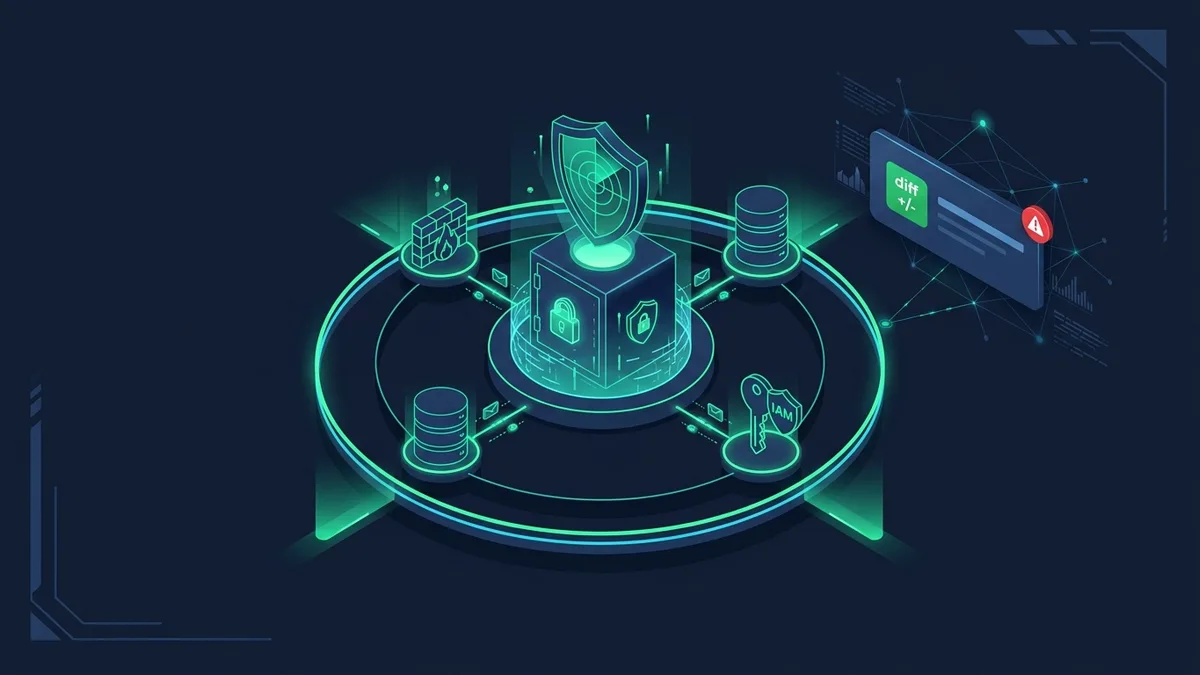
Why preventive IAM isn’t always enough for your most sensitive resources, and how to catch every critical change in Slack within seconds.
In almost every cloud security discussion I have, we start with preventive controls: enforce the principle of least privilege with IAM, lock down the environment with Organization Policy Constraints, and make sure every change goes through Terraform.
In theory, if you lock everything down tightly enough, nothing bad can happen. But anyone who has worked in a real production environment knows there is a catch.
The “Why”: Engineers Still Need Access to Your Crown Jewels
Even in an organization that does least privilege really well, you always have a group of engineers, SREs, network specialists, DBAs, break-glass responders, and CI/CD service accounts that must have permissions to touch your most critical resources.
You cannot just strip away their IAM roles. They need that access to do their day-to-day work, onboard new services, maintain databases, or fix a production outage at 2:00 AM.
At the same time, these resources are your Crown Jewels. They are simply too sensitive to leave unmonitored. When an engineer or a pipeline has legitimate access to modify a production firewall, a Compute Engine VM, a Cloud SQL instance, a Secret Manager vault or Cloud KMS key, or an IAM policy, preventive IAM stops helping you. What you need at that point is continuous, real-time change monitoring:
- Did someone open a firewall rule to a new IP address during a debugging session and forget to revert it?
- Was that change rolled out cleanly through Terraform (IaC), or did someone click around in the Google Cloud Console (ClickOps) or run a manual
gcloudcommand? - Did a specific user or service account just get extra IAM privileges on a sensitive project or secret?
To solve this in a clean, serverless way, I built and open-sourced google-cloud-cai-asset-change-notifications on GitHub. It uses Cloud Asset Inventory (CAI), which is part of Security Command Center (SCC), to monitor changes on your Crown Jewels in real time and send rich, human-readable alerts straight to Slack.
Why Cloud Asset Inventory (Part of Security Command Center) Is So Useful Here
A lot of teams try to build change monitoring using raw log sinks in Cloud Logging. The problem with raw audit logs is that an API call log only shows you the request parameters that were sent—it rarely shows you what the resource actually looked like before the change versus after the change.
Cloud Asset Inventory (CAI)—a core capability within Google Cloud’s Security Command Center and CNAPP posture management—solves this natively. Whenever a resource (RESOURCE) or IAM policy (IAM_POLICY) is created, updated, or deleted, CAI streams a real-time payload to Pub/Sub that contains both:
priorAsset— the exact configuration or IAM policy before the change.asset— the exact configuration or IAM policy after the change.
In my notifier, a 2nd-generation Cloud Run function takes that CAI payload, computes a clean before-and-after diff, and then correlates the event with Cloud Audit Logs (entries:list) so your security team immediately sees:
- What changed: The exact field, IP address, security flag, or IAM role binding that was added, removed, or modified.
- Who did it: Whether it was a human user (
User Account), a CI/CDService Account,Workload Identity, or a user impersonating a service account (User impersonating Service AccountviaserviceAccountDelegationInfo). - How it was executed: Whether the change came through Terraform (IaC) (or Pulumi/Crossplane/Ansible), the Google Cloud Console (Web UI / ClickOps), or the
gcloudCLI with the exact command executed—including an automatic drift warning whenever someone makes a manual change outside of IaC.
Key Security Monitoring Use Cases
When you set up continuous monitoring for your Crown Jewels, you do not want alerts for every ephemeral development resource spinning up and down. By default, var.monitored_asset_types and the function’s posture analyzer (analyze_security_posture) focus on five high-impact categories where a single configuration change alters your security posture:
1. Firewall Rules & VPC Networking: New IP Addresses, Port Changes, or Disabled Logging
Network and platform engineers regularly need to update firewall rules (compute.googleapis.com/Firewall, compute.googleapis.com/FirewallPolicy) and VPC networks (compute.googleapis.com/Network, Subnetwork, Route, Router). With CAI change notifications, you get an immediate Slack message whenever:
- A new IP address or CIDR block is added to or removed from
sourceRangesordestinationRanges(or worse,0.0.0.0/0or::/0is opened to the public internet). - Allowed or denied port ranges and protocols (
allowed/denied) are modified. - Someone disables Firewall Rule Logging (
logConfig.enable: true -> false) or turns off VPC Flow Logs (enableFlowLogs) or Private Google Access (privateIpGoogleAccess) on a subnetwork.
2. IAM Privilege Escalation, Added Roles & Service Account Keys
Privilege escalation rarely happens by someone granting roles/owner out of nowhere. Most of the time, it happens incrementally: an existing user or service account with baseline permissions (like roles/logging.logWriter) gets additional roles added (roles/iam.serviceAccountTokenCreator, roles/bigquery.admin, or roles/secretmanager.secretAccessor), or a custom IAM role (iam.googleapis.com/Role) has new permissions quietly added to includedPermissions.
By comparing priorAsset.iamPolicy and asset.iamPolicy both per role and per principal across Organization, Folder, Project, and resource policies, the notifier flags:
- Per-principal IAM privilege escalation when an existing
user:orserviceAccount:gains additional roles on top of what they previously held. - Newly added IAM roles and bindings, with dedicated risk signals for privileged roles (
PRIVILEGED_ROLES) and public exposure (allUsers/allAuthenticatedUsers). - Custom IAM role permission expansion (
includedPermissionsoniam.googleapis.com/Role) and creation of user-managed Service Account keys (iam.googleapis.com/ServiceAccountKey).
3. Cloud SQL & Sensitive Data Stores: Weakened SSL or Expanded Network Access
Production databases (sqladmin.googleapis.com/Instance) and data stores (bigquery.googleapis.com/Dataset, bigquery.googleapis.com/Table, storage.googleapis.com/Bucket) hold your actual business data. DBAs and platform engineers often need admin access to maintain these instances, which means they can also change security access settings. You get an instant Slack alert if:
- Database SSL/TLS enforcement is disabled on Cloud SQL (
requireSslis flipped tofalse, orsslModeis downgraded fromENCRYPTED_ONLYtoALLOW_UNENCRYPTED_AND_ENCRYPTED). - Database network access IP ranges are expanded (
settings.ipConfiguration.authorizedNetworksgets a new external CIDR or0.0.0.0/0added, or publicipv4Enabledis enabled). - BigQuery dataset ACLs are expanded (new bindings added to
resource.data.accessor public access granted toallUsers/allAuthenticatedUsers).
4. Compute Engine VMs & GKE Clusters: External IPs, Shielded VM & Machine Series Drift
For production compute resources (compute.googleapis.com/Instance, compute.googleapis.com/InstanceTemplate, container.googleapis.com/Cluster), the notifier inspects every configuration change for:
- External public IP attachments (
ONE_TO_ONE_NATadded innetworkInterfaces.accessConfigs). - Disabled Shielded VM or Confidential Compute controls (
enableSecureBoot,enableVtpm,enableIntegrityMonitoring, orenableConfidentialComputeturned off). - Machine type / CPU series drift (for example, changing
n2d-standard-4toe2-standard-8, alongside a dedicatedapp/monitor-cpu-machine-type/function for enforcing approved machine families).
5. Secret Manager Vaults & Cloud KMS Encryption Keys
Cryptographic keys (cloudkms.googleapis.com/CryptoKey, KeyRing) and secrets (secretmanager.googleapis.com/Secret, SecretVersion) are prime Crown Jewels. The notifier alerts on any creation, rotation/version update, deletion, or IAM policy change (roles/secretmanager.secretAccessor, roles/cloudkms.cryptoKeyDecrypter), while automatically redacting sensitive payload fields (secretData, payload, privateKeyData, rawKey, password, token) so secret values never leak into Slack.
What the Notifications Look Like in Slack
Here are three examples (generated directly from the repository’s test fixtures) of what lands in your Slack channel when a Crown Jewel resource or its IAM policy is modified.
1. Firewall Rule Modified with a New IP Range via Google Cloud Console (ClickOps)
🚨 Crown Jewel Asset Alert: compute.googleapis.com/Firewall allow-prod-ssh-ingress was MODIFIED
[email protected] (User Account).0.0.0.0/0): Firewall rule exposes tcp:22,3389 to the public internet.0.0.0.0/0, removed 10.128.0.0/16.tcp:22 -> tcp:22,3389.~ allowed: [{"IPProtocol": "tcp", "ports": ["22"]}] -> [{"IPProtocol": "tcp", "ports": ["22", "3389"]}]
+ sourceRanges: added ["0.0.0.0/0"]
- sourceRanges: removed ["10.128.0.0/16"]
sourceRanges to trusted corporate CIDRs, Identity-Aware Proxy (35.235.240.0/20), or internal VPC ranges.
2. Cloud SQL SSL Enforcement Disabled & Authorized Network IP Range Expanded
🚨 Crown Jewel Asset Alert: sqladmin.googleapis.com/Instance prod-customer-orders-sql was MODIFIED
[email protected] (User Account).sslMode: ENCRYPTED_ONLY -> ALLOW_UNENCRYPTED_AND_ENCRYPTED).198.51.100.0/24 (external-vendor-subnet) to Cloud SQL instance.+ settings.ipConfiguration.authorizedNetworks: added [{"name": "external-vendor-subnet", "value": "198.51.100.0/24"}]
~ settings.ipConfiguration.requireSsl: true -> false
~ settings.ipConfiguration.sslMode: "ENCRYPTED_ONLY" -> "ALLOW_UNENCRYPTED_AND_ENCRYPTED"
requireSsl = true and sslMode = ENCRYPTED_ONLY or TRUSTED_CLIENT_CERTIFICATE_REQUIRED) on the Cloud SQL instance.
3. IAM Privilege Escalation & Added Role via gcloud CLI
🚨 Crown Jewel Asset Alert: cloudresourcemanager.googleapis.com/Project prod-core-01 was IAM_POLICY_UPDATED
gcloud projects add-iam-policy-binding) ⚠️
gcloud projects add-iam-policy-binding) ⚠️ by [email protected] (User Account).roles/bigquery.admin, roles/iam.serviceAccountTokenCreator added to policy.serviceAccount:[email protected] gained roles/iam.serviceAccountTokenCreator (in addition to existing roles/logging.logWriter).roles/iam.serviceAccountTokenCreator granted to serviceAccount:[email protected].roles/bigquery.admin granted to user:[email protected].+ IAM Role Added: roles/bigquery.admin -> ['user:[email protected]'] + IAM Role Added: roles/iam.serviceAccountTokenCreator -> ['serviceAccount:[email protected]'] ~ Privilege Escalation (serviceAccount:[email protected]): gained ['roles/iam.serviceAccountTokenCreator'] (existing: ['roles/logging.logWriter'])
How It Works Under the Hood
Just like my SCC findings notifier for Slack, the architecture is completely serverless and deployed with Terraform:
- Cloud Asset Inventory Feeds (
RESOURCE&IAM_POLICY): Terraform provisions organization-wide CAI feeds (crown_jewels_resourcesandcrown_jewels_iam), plus an optional folder-scoped feed (var.folder_id) and optional SCC v2 finding notification config (var.enable_scc_notification), all streaming into a single Pub/Sub topic (cai-asset-changes-topic). - Eventarc & Cloud Run Function (2nd Gen): Eventarc triggers the
cai-slack-notifierPython 3.13 Cloud Run function (entry pointsend_slack_chat_notification), locked down withALLOW_INTERNAL_ONLYingress and dedicated least-privilege service accounts (cainotifierfor runtime/trigger andcainotifier-buildfor Cloud Build). - CAI Diff Engine, Deduplication & Cloud Audit Logs Lookup: The function strips out volatile metadata fields (
etag,fingerprint,selfLink,creationTimestamp), redacts sensitive fields (secretData,payload,privateKeyData,rawKey,password,token), skips metadata-only updates with zero structural diff, deduplicates burst alerts within a configurable cooldown window (DEDUP_WINDOW_SECONDS), and queries Cloud Audit Logs (entries:list) to determine Who made the change and How it was executed. The repository also includes specialized monitors for CPU machine-type drift (app/monitor-cpu-machine-type/), project/org IAM principals (app/monitor-principals/), and Service Account IAM policies (app/sa-iam-monitor/). - Cloud KMS & Secret Manager for the Slack Token: You never store a plaintext Slack token in Git or
terraform.tfvars. Stage 1 (infra/kms) creates a Cloud KMS key (prevent_destroy = true) to encrypt your Slack bot token locally, and Stage 2 (infra/) decrypts it into Secret Manager (cainotifier-slack-bot-token) for the Cloud Run function.
Try It Out in Your Own Slack Channel
If you want to see how these alerts look in your own Slack workspace before deploying any infrastructure in Google Cloud, the repository includes five realistic test fixtures that you can preview locally or send straight to Slack from your terminal:
# Demo 1: VPC Firewall Rule opened to 0.0.0.0/0 via Google Cloud Console (ClickOps)
SLACK_BOT_TOKEN=xoxb-your-token \
SLACK_CHANNEL=C0123456789 \
python3 app/cai-asset-change-notifications/main.py tests/fixtures/firewall_open_ssh_console.json --send

# Demo 2: Compute Engine VM with External IP & Machine Type changed via gcloud CLI (SA Impersonation)
SLACK_BOT_TOKEN=xoxb-your-token \
SLACK_CHANNEL=C0123456789 \
python3 app/cai-asset-change-notifications/main.py tests/fixtures/compute_vm_external_ip_gcloud.json --send

# Demo 3: Secret Manager IAM Policy modified via Terraform (IaC)
SLACK_BOT_TOKEN=xoxb-your-token \
SLACK_CHANNEL=C0123456789 \
python3 app/cai-asset-change-notifications/main.py tests/fixtures/secret_manager_iam_terraform.json --send

# Demo 4: IAM Privilege Escalation (existing Service Account gains TokenCreator + added BigQuery Admin role)
SLACK_BOT_TOKEN=xoxb-your-token \
SLACK_CHANNEL=C0123456789 \
python3 app/cai-asset-change-notifications/main.py tests/fixtures/iam_privilege_escalation.json --send

# Demo 5: Cloud SQL Database SSL Enforcement Disabled & Network Access IP Range Expanded
SLACK_BOT_TOKEN=xoxb-your-token \
SLACK_CHANNEL=C0123456789 \
python3 app/cai-asset-change-notifications/main.py tests/fixtures/cloudsql_ssl_and_network_expanded.json --send
Deploying the full solution across your Google Cloud organization takes two quick Terraform steps:
# 1. Stage 1: KMS key for encrypting the Slack bot token
cd infra/kms && cp terraform.tfvars.example terraform.tfvars   # edit project_id & members
terraform init && terraform apply

# 2. Encrypt the Slack bot token with Cloud KMS
read -rs SLACK_BOT_TOKEN && export SLACK_BOT_TOKEN
terraform output -raw encrypt_command | sh && unset SLACK_BOT_TOKEN

# 3. Stage 2: Deploy the CAI & SCC Crown Jewel notifier
cd .. && cp terraform.tfvars.example terraform.tfvars          # edit, paste the KMS ciphertext
terraform init && terraform apply
Get the Code on GitHub
You can find the complete repository, Terraform modules, and all sample payloads on my GitHub:
👉 github.com/jorgecalo/google-cloud-cai-asset-change-notifications
If you are setting up Crown Jewel monitoring in your Google Cloud organization or want to share additional asset types you monitor in your environment, feel free to reach out on LinkedIn or via my contact page!

Jorge Liauw Calo
Security Engineer at Google Cloud (Google Cybershield) with 13+ years of experience in Cybersecurity across highly regulated industries including Semiconductor, Banking, Fintech, and Insurance. Active member of the Google Cloud Community BeNeLux and Google Cloud Security Community Amsterdam.